 blog
TickTick vs Any.do for Simple Tasks: Which Wins?
Last Updated: November 9, 2026
Quick Summary
In the ticktick vs any.do decision for simple tasks, TickTick is the more complete tool while Any.do is the friendlier one, and both free plans can handle a simple task. Any.do wins on speed for absolute beginners, while TickTick suits anyone who wants room to grow into reminders and calendars.
- Run a workflow test: add five tasks, set two reminders, complete one, and time it.
- Pick one capture point and one review time, and keep a single Today list for week one.
- If a task takes under two minutes, do it now instead of adding it to the list.
- Neither app tracks a bill, renewal, and medication schedule in one place.
- Apple Reminders is free and syncs across devices for iPhone users.
Table of Contents
- The Simple-Task Verdict: Which App Fits a Busy Life
- TickTick vs Any.do Free Version Comparison
- Task Capture and Completion: A Side-by-Side Workflow Test
- Reminders, Recurring Tasks and Calendar Views Compared
- How to Organize Daily Tasks Effectively in Either App
- Best Minimalist To-Do List Apps for People Who Only Need Simple Tasks
- Start With One List and One Week
- Frequently Asked Questions
The Simple-Task Verdict: Which App Fits a Busy Life
If your to-do list is mostly groceries, dentist appointments, and a bill that needs paying before Friday, the TickTick vs Any.do decision comes down to one question: which app gets out of your way fastest? The honest answer is that both apps can handle a simple task. They just make you pay for it in different ways.
TickTick is the more complete tool. Any.do is the friendlier one. Neither was built for the person whose real list spans bills, medication schedules, school forms, and a car service that's overdue. Below, we break down the free plans, run both apps through the same workflow test, and show you exactly where each one starts to feel like work. We'll also cover how to organize daily tasks effectively in either app, and when it's worth switching to something built for the whole of your life rather than just a list.
TickTick vs Any.do Free Version Comparison
The free tier is where many people start, so it deserves a straight look. Both apps offer a usable free plan, and both reserve their better features for paying subscribers. What separates them is where the line falls, and how quickly a simple-task user bumps into it.
Check each app's own site for current pricing before you commit.
| Feature | TickTick free | Any.do free |
|---|---|---|
| Task lists and quick add | Yes | Yes |
| Due dates and reminders | Yes, one reminder per task | Yes, with limits on reminder frequency |
| Recurring tasks | Basic daily/weekly patterns | Limited |
| Calendar view | Yes | Basic |
| Widgets | Yes | Yes |
| Habit tracking | Paid tier | Not a focus |
| Best for | Power users testing depth | Beginners who want speed |
Neither app is designed to track a bill, a renewal, and a medication schedule in one place, that's a gap both apps leave open.
Task Capture and Completion: A Side-by-Side Workflow Test
A simple test is to add five real tasks, set two reminders, complete one, and time how long the whole thing takes.
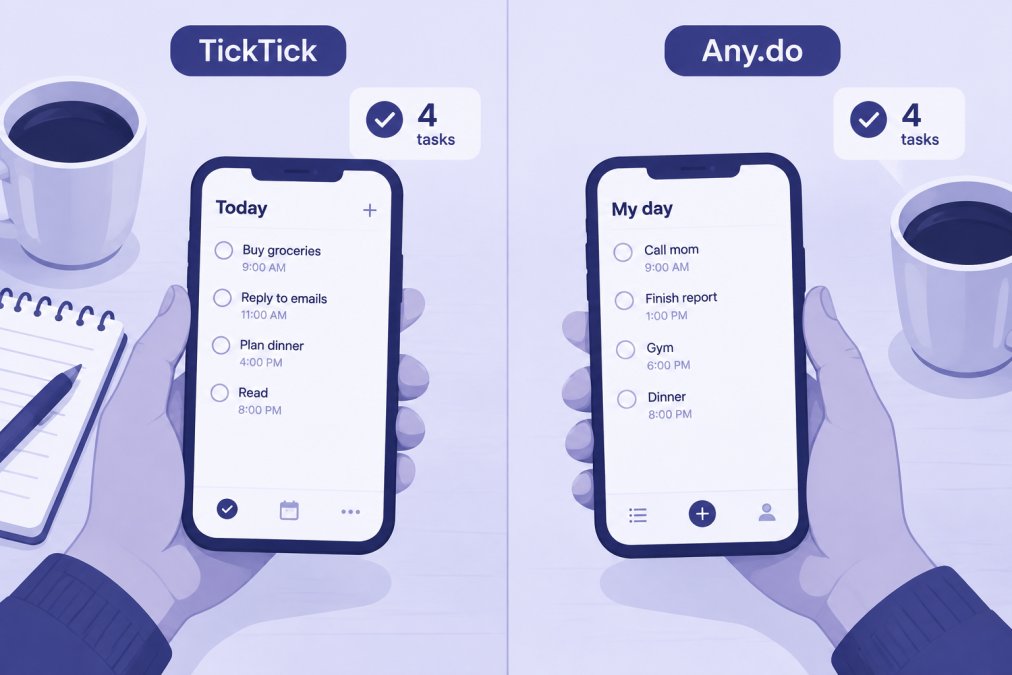
A common mistake is judging either app on day one. Live with it for a week of real tasks before you decide. The workflow test above is the closest you can get to that experience without committing, run it yourself with your own tasks and see which app's rhythm matches yours.
Reminders, Recurring Tasks and Calendar Views Compared
Recurring tasks are where simple lists quietly break. A reminder to take medication, pay a subscription, or renew a document isn't a one-off, and both apps handle repetition differently.
Calendar view matters more than people expect. Seeing the week laid out turns a list into a plan.
Watch out: neither app is designed to track a bill, a renewal, and a medication schedule in one place. You end up with separate lists pretending to be a system.
How to Organize Daily Tasks Effectively in Either App
Pick one capture point and one review time. That's the whole method, and it works in both apps.
- Create a single "Today" list and nothing else for the first week.
- Add tasks with a due date only when the date genuinely matters.
- Set one recurring reminder for anything that repeats weekly.
- Review the list each evening and move what's left to tomorrow.
- Clear completed items weekly so the list stays short.
The rule that saves people: if a task takes under two minutes, do it now instead of adding it. Most simple-task overwhelm comes from capturing things that never needed capturing.
Neither fixes the underlying problem if your commitments live in five different apps.
Best Minimalist To-Do List Apps for People Who Only Need Simple Tasks
If you genuinely only need a list, the field is wide. The best minimalist to-do list apps share three traits: fast capture, a short learning curve, and no subscription nagging.
- Any.do wins on speed and a friendly interface for absolute beginners.
- TickTick suits anyone who wants room to grow into reminders and calendars.
- Apple Reminders is free, built in, and syncs across devices for iPhone users.
- Google Tasks is the simplest option if you already live in Gmail and Calendar.
- LifeKeep takes a different angle: instead of a blank list, it centralizes reminders, appointments, bills, subscriptions, birthdays, and medication tracking in one simple space. For a busy parent or someone managing health appointments, that's the difference between a to-do list and a system that actually covers your life.
The trade-off is real. Minimalist apps stay minimal because they ignore the messy, recurring, deadline-driven stuff. If that stuff is your life, a dedicated platform earns its place.
Start With One List and One Week
The TickTick vs Any.do choice is close, and for pure simple tasks either can serve you. The bigger issue is that most people's "simple" tasks aren't simple at all. They're bills, renewals, appointments, and medications that repeat on their own schedule and don't fit neatly into a checkbox.
LifeKeep is designed to consolidate your reminders, appointments, bills, subscriptions, birthdays, and medication tracking into one simple space. If you've been juggling a to-do list plus a calendar plus a banking app, this is the consolidation step.
Start with one list and one week. If it holds, you've found your app.
Ready to stop managing five apps and start managing your life? Get started with LifeKeep and keep every deadline, renewal, and appointment in one clear place.
Frequently Asked Questions
Is TickTick or Any.do better for simple to-do lists?
For short lists with due dates and reminders, pick the app you can add a task to quickly. If your day is five to ten errands and appointments, pick the app you can add a task to in under five seconds.
Can I use TickTick for free for basic task management?
Yes. Check the current free-tier limits on TickTick's site before you commit. For simple tasks, most people never hit the paid features. If you manage bills, renewals and medication reminders alongside tasks, a single-purpose tool may fit better than a feature-heavy one.
Which app is more user-friendly for beginners: TickTick or Any.do?
Both apps can be used quickly for a first task, but their layouts differ, so it helps to try each one before choosing. Try both for a week with the same five tasks and note which one you actually open on day seven.
Does Any.do offer better calendar integration than TickTick?
Check whether each app displays your calendar alongside your tasks, since that affects how easily you can plan your day. Test both against your real week. If most of your commitments already live in a calendar, choose the app that displays them next to your tasks without extra setup.