 blog
Brite.app vs Todoist: Which Suits Daily Productivity?
Quick Summary
Brite app vs Todoist depends on how you plan your day: Todoist suits list-first users who organize work into projects and due dates, while Brite.app suits schedule-first users who want tasks shown against the shape of the day. Test both with real tasks, especially recurring carryover and cross-device sync, before committing.
- Todoist is built around lists, projects, and due dates, with a quick-add syntax for fast capture.
- Brite.app blends tasks with calendar-style daily views and suits people who plan by the day.
- Test recurring task carryover by missing one occurrence on each app before trusting it with bills or medication.
- Confirm cross-device sync by editing on your phone and checking your laptop before relying on the daily view.
- Add up every subscription touching your planning, since a second calendar or habit app can raise the total cost.
Table of Contents
- Brite.app vs Todoist at a Glance
- How We Tested Both Apps
- Task Capture, Inbox and Recurring Tasks
- Calendar Views, Daily Planning and Habit Tracking
- Ease of Use, Customization and Cross-Device Sync
- Pricing, Free Plans and Total Cost
- How to Organize Life Tasks Effectively With Either App
- Choosing the Right App for Your Next Step
- Frequently Asked Questions
Brite.app vs Todoist at a Glance
Last Updated: November 4, 2026
Choosing between Brite.app and Todoist for productivity comes down to what you actually need from a brite app vs todoist comparison: what your task app has to do. Todoist is a task manager built around lists, projects, and due dates. Brite.app sits closer to a daily planner, blending tasks with calendar-style views. Both can keep a busy professional or parent organized, but they handle the day differently.
We put the core question first: does your day run on a list of things to do, or on a schedule of things to fit? When you weigh brite app vs todoist, a list-first person will usually feel at home in Todoist. A schedule-first person may find Brite.app's daily framing more natural. Neither answer is wrong, and the rest of this guide shows where each tool earns its place.
Keep in mind that this comparison covers the apps' general approach, not every feature. For current pricing and plan details, check each vendor's website directly, as these change often.
How We Tested Both Apps
We used both apps across a range of everyday scenarios: work deadlines, household errands, recurring bills, and appointment tracking. The goal was to see how each app behaves over days and weeks, not just in a first-run demo.
Our testing focused on five questions:
- How quickly can you capture a task before it slips away?
- Do recurring tasks and unfinished items carry over correctly?
- How clear is the daily view when your list grows long?
- How much friction does setup and upkeep add?
- What does the paid tier actually unlock?
A common mistake is judging a task app after a single afternoon. Most of the differences only show up when your inbox fills up and you skip a few days.
Task Capture, Inbox and Recurring Tasks
Capturing tasks quickly matters more than almost any other feature. If adding a task takes too many taps, it simply doesn't get added, and the thought disappears.
Todoist's quick-add syntax lets you type a task with a date and priority in one line, and its inbox collects everything that hasn't been sorted yet.
Brite.app takes a more daily-planning approach to capture. Tasks tend to land in the context of the day you're planning, which suits people who think in terms of today and tomorrow rather than in projects.
Recurring tasks are where edge cases appear. Ask yourself what happens when you complete a recurring item late. Does the next occurrence reset from the original schedule or from the day you finished? Todoist offers explicit options for this. Confirm how each app handles carryover before trusting it with time-sensitive items.
Watch out: if you rely on recurring reminders for medication or bill payments, test one missed occurrence on each app before committing. The carryover behavior is easy to assume and easy to get wrong.
Calendar Views, Daily Planning and Habit Tracking
This is where the two apps diverge most, and it is also where most comparisons stay vague. Instead of repeating "Brite.app is a planner, Todoist is a list," it helps to test the specific daily behaviors that decide whether a tool survives past week two.
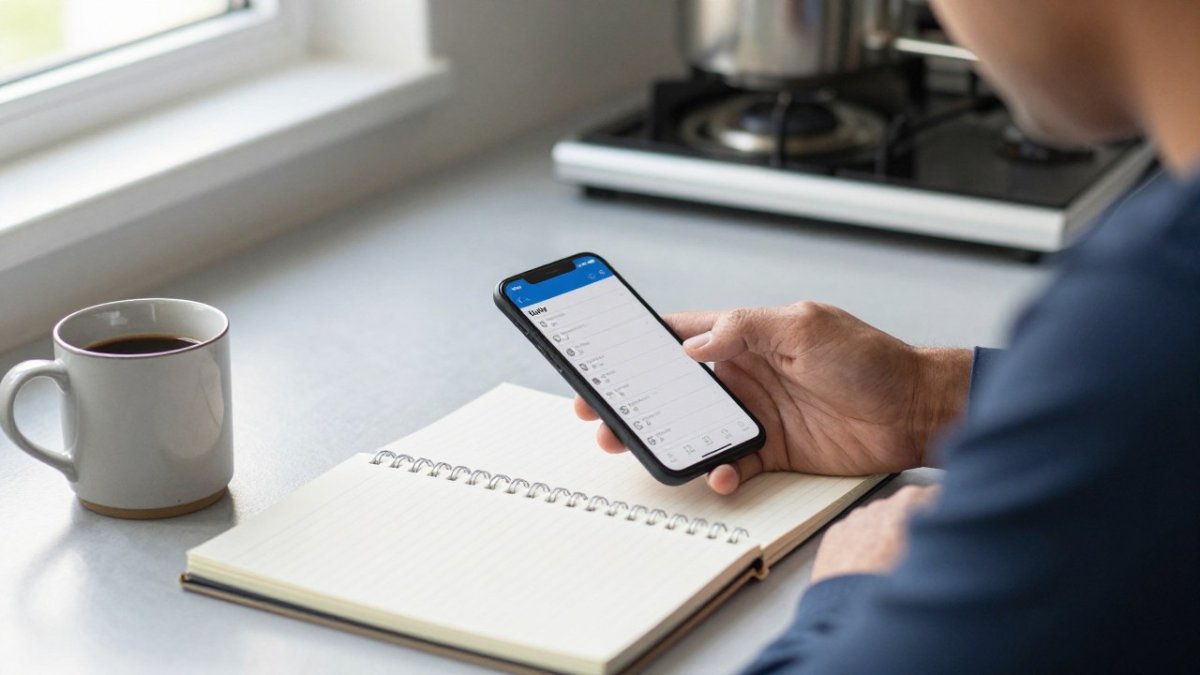
The morning scan. A daily-planning app earns its place in the first five minutes of the day. Open Brite.app and the intended workflow is to see today's tasks against the shape of the day, what is fixed, what is flexible, and what will not fit. Todoist's equivalent is the Today view plus its calendar integration: you see what is due, and you map it onto time yourself. Neither is wrong, but the difference matters. If your day is appointment-heavy, a schedule-led view reduces the mental translation step. If your day is deadline-heavy, a due-date list is faster to scan.
Planning tomorrow tonight. Test this directly: at the end of the day, add three tasks to tomorrow in each app. In Brite.app, note whether the tasks land in tomorrow's planning view without extra sorting. In Todoist, note whether they land in the correct project and whether the due date is visible in the Upcoming view. The app that makes tomorrow's plan take under a minute is the one you will keep using.
Recurring tasks and carryover. This is the edge case competitors gloss over. For a recurring bill or medication reminder, ask what happens when you complete the task a day late. Does the next occurrence reset from the original schedule, or from the completion date? Todoist exposes explicit options for this behavior. Confirm Brite.app's behavior on the same scenario before relying on it for anything you cannot afford to miss. A common pattern is that a missed occurrence shifts the whole chain, which is fine for chores and wrong for prescriptions.
Habit tracking. If habit streaks are central to your routine, plan on a separate habit app alongside either tool rather than forcing one to do the job.
Cross-device consistency for the daily view. A daily planner is only useful if the plan is the same on your phone and your laptop. Test one edit on each device and confirm it appears on the other before you rely on the daily view for appointments. A mismatch here is the fastest way to miss a meeting.
Ease of Use, Customization and Cross-Device Sync
For cross-device consistency, check that changes made on your phone appear immediately on your laptop, and that offline edits sync cleanly when you reconnect. This matters most if you switch between a work computer and a personal phone, where a mismatch can cause you to miss a deadline.
The table below sums up what to check on each app before you commit to a daily routine.
| Check | What to test | Why it matters |
|---|---|---|
| Task capture | Add a task and time how long it takes | Slow capture means tasks get lost |
| Recurring carryover | Miss one occurrence on each app | Shows whether the chain shifts or resets |
| Daily planning | Add three tasks to tomorrow at night | Tests whether planning takes under a minute |
| Cross-device sync | Edit on phone, check laptop | A mismatch can cause missed appointments |
| Total cost | Add every subscription touching planning | A cheap tier can cost more with a second app |
Pricing, Free Plans and Total Cost
Pricing is where a feature comparison stops being abstract. The right question is not "which app is cheaper" but "which plan, at which billing cycle, for how many people, covers the workflows I actually use." Both apps publish their current figures on their own pricing pages, so confirm the live numbers before you buy.
What the free tiers typically cover.
Total cost by user and plan. Compare three scenarios rather than one headline price:
- Individual, monthly vs annual. Annual billing almost always lowers the effective monthly rate. If you are testing for two weeks, start monthly; if you are committing for a year, price the annual tier and divide by twelve to compare fairly.
- Household or family. If two adults both need reminders and shared lists, price two individual seats against any family or shared plan. A single shared plan is often cheaper than two individual subscriptions, but only if both people actually use it.
- Small team. Team pricing usually adds per-seat cost plus admin features. Price the number of seats you will realistically fill, not the number you might fill later.
The hidden second subscription. The most common total-cost mistake is paying for a task app and a separate calendar or habit app because neither tool covers the full day. Add up every subscription that touches your planning: tasks, calendar, notes, and habits. A single tool that handles tasks and daily scheduling can cost less than two cheaper subscriptions that each cover half the job. Run that sum before you decide the monthly fee is the deciding factor.
What the paid tier actually unlocks.
How to Organize Life Tasks Effectively With Either App
Whichever app you pick, a simple system beats an elaborate one. Here is a practical routine that works in either tool:
- Capture everything in one inbox. Don't sort at the moment you think of something. Sorting later is faster and keeps you moving.
- Give recurring items a fixed home. Bills, medication, and appointments should each have one recurring task, not several one-off reminders.
- Plan the day the night before. Pick three to five tasks that must happen tomorrow. Leave the rest in the inbox.
- Run a weekly review. Once a week, clear the inbox, check upcoming due dates, and move stale items out.
- Separate household and work lists. Mixing them makes both harder to scan.
Teams that stick with a routine like this tend to keep their task lists useful. Teams that skip the weekly review often find their app full of overdue items they've stopped trusting.
If you also manage household paperwork, the same weekly review is a natural time to check that important documents and their renewal dates are current.
Choosing the Right App for Your Next Step
Pick Todoist if your life runs on lists and projects, you want a mature task manager, and you value a long track record. It suits people who think in categories and want fine control over how tasks are grouped.
Pick Brite.app if you plan by the day, need to see your tasks against a schedule, and want a lighter structure without managing many projects.
If you're still undecided, try the free tier of each for two weeks using the same real tasks. Track which app you open first each morning. That habit, more than any feature checklist, will tell you which one you'll actually keep using.
Frequently Asked Questions
Is Brite.app better than Todoist for daily planning?
It depends on how you plan your day. Brite.app is built around a daily planning view, which suits people who want to see the whole day at once. If your main problem is deciding what to do today, test Brite.app first. If your main problem is keeping a long backlog organized, Todoist usually fits better. Trying both on the free tier for a week is the most reliable way to decide.
Is the Todoist free version enough for personal task management?
Check Todoist's current plan page for what its free plan includes, since plan details change.
Does Brite.app offer a calendar view like Todoist?
Brite.app presents your day and week in a planning-focused view that places tasks alongside time blocks, which is its main difference from a list-first tool. Check each app's current interface before deciding, since features are updated regularly.
How do I organize life tasks effectively in either app?
Start by capturing everything into one inbox so nothing lives only in your head. Sort items into a few broad areas such as home, health, finances and family, rather than creating dozens of projects. Give recurring items a schedule, like monthly bill payments or medication refills, so they reappear automatically. Review the list once a week to clear stale tasks and reschedule what slipped. Both apps support this approach, so the choice comes down to whether you prefer planning the day or managing a long list.